
The best products do not complete the difficult thinking for the child. They give children a clear task, suitable materials, and a fair way to test the result. A robot, app, or AI feature is useful only when it helps the child make decisions or understand an idea.
The activity numbers in this article—such as lesson length, group size, test distance, load, and number of trials—are practical planning examples. They are not fixed standards for every toy, school, or child.
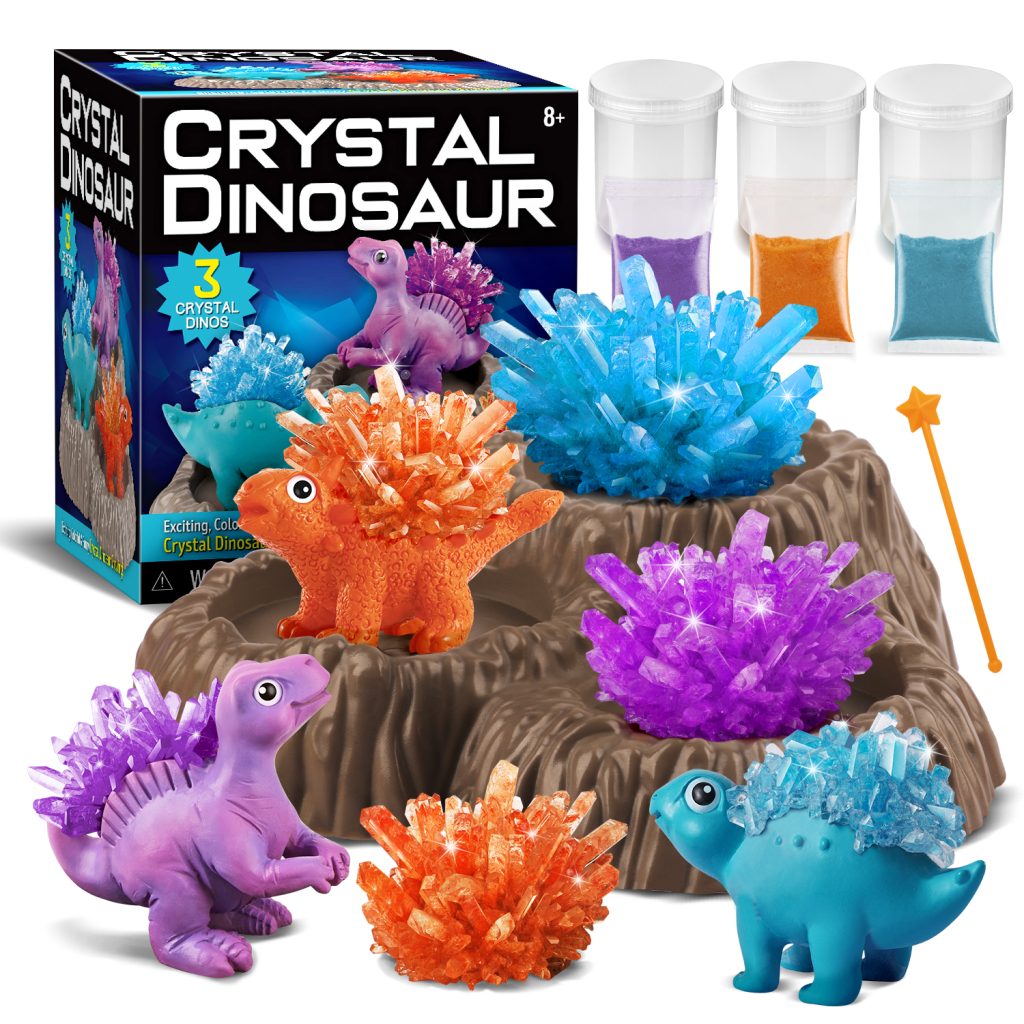
Readers comparing different product formats can review K&M’s educational toy categories, including science kits, excavation kits, geology sets, arts and crafts, outdoor products, and group activities.
What Matters in 2026
The clearest 2026 toy trends are open-ended building, inventor-style projects, customization, and renewed interest in low-tech or screen-light play.
The Toy Association reports that 78% of surveyed U.S. parents want more toys that help children develop skills such as creativity and problem-solving. Its 2026 trend report also highlights modular building platforms and products that let children create their own designs.[1]
This 78% figure shows parent interest. It does not prove that every product labelled STEM, STEAM, creative, or educational improves those skills.
Parents and schools are also asking more practical questions:
- What will the child actually do?
- Can the activity be used more than once?
- Does the app improve the activity or only increase screen use?
- What happens if the app or online service closes?
- What is the full cost after batteries, refills, devices, and subscriptions?
A toy with 50 printed activities is not always better than one with 10 activities. Ten experiments that children can repeat, change, and measure may provide more learning than 50 one-use demonstrations.
Open-Ended Play
A fixed kit tells children exactly what to build and where every part belongs. It can teach assembly and careful reading, but it gives children few chances to make technical decisions.
An open-ended kit allows the same materials to produce several results. Beams, wheels, connectors, gears, motors, and sensors might become a bridge, crane, lift, vehicle, moving animal, or sorting machine.
A useful open-ended activity includes:
- A clear problem
- A limited set of materials or rules
- A result that can be seen or measured
- More than one possible solution
For example, a bridge challenge could ask children to cross a 30-centimetre gap, use no more than 25 parts, and hold a 500-gram load for 10 seconds. These numbers are activity settings, not toy-industry standards.
The goal and test are clear, but children still decide where to place the supports, how to use the available parts, and what to change when the bridge bends.
Good products gradually reduce the amount of help:
- Build a working example.
- Change one part and predict the result.
- Repair a model with a known problem.
- Improve the model under a new rule.
- Create another solution without full instructions.
A beginner activity may use four to six clear steps. A harder version can use the same materials but remove some instructions and add two testing conditions, such as a lower part limit and a higher load.
The same approach applies to science kits. A useful kit should move beyond one impressive reaction. It should ask children to predict, measure, compare, and explain. K&M’s article on the skills children develop through science kits gives practical examples of fair tests, repeated trials, measurements, and design challenges.
Inventor Projects
Inventor-style play focuses on the process used to solve a problem.
A complete project may ask children to:
- Identify a need.
- Set the limits.
- Draw or describe an idea.
- Build a first version.
- Test it under clear conditions.
- Record what went wrong.
- Change the design.
- Explain the final result.
A model vehicle challenge could require children to carry 200 grams for one metre using no more than 20 parts. They could run the vehicle three times from the same starting line and record the distance reached in each test.
If the vehicle reaches 110 centimetres, 95 centimetres, and 105 centimetres, the child has useful evidence. A single successful run gives less information because the result may have been affected by the starting position, floor surface, wheel alignment, or a loose part.
The project becomes more useful when it includes a user. Instead of asking children to make any crane, the task can ask them to build a device that helps a small figure move an object across a gap without lifting it by hand.
Children must then consider the user’s needs, the available space, the load, and the safe way to operate the design.
Brands developing new products should test the whole play process before production. K&M’s guide to developing a custom educational toy explains how age range, learning goals, samples, instructions, safety work, packaging, and production checks connect.
Useful Screens
Parents are not rejecting all technology. They are questioning digital features that do not improve the activity.
A screen can help children:
- Write or change code
- View sensor readings
- Create a digital model
- Record test results
- Check a diagram or short instruction
A screen adds less value when most of the activity involves collecting virtual coins, watching animations, completing unrelated mini-games, or responding to repeated notifications.
The American Academy of Pediatrics’ 2026 report explains that children’s digital use should not be judged only by the number of minutes spent on a device. Content, design, interaction, family involvement, and the needs of the individual child also matter.[2]
A sample 30-minute robotics activity might use:
- 5 minutes to plan the movement
- 15 minutes to build and enter commands
- 5 minutes to run several tests
- 5 minutes to explain the result
The screen supports the project, but most of the lesson still involves building, testing, observing, and talking.
Before buying a connected toy, ask:
- Does the screen help the child design, measure, code, or test?
- Can the main activity work without continuous internet access?
- Does every child need a separate device and account?
- Are advertisements or unrelated rewards included?
- Will the physical toy still work if the app is discontinued?
AI Toys
AI toys should be divided into three groups because they have different uses and risks.
AI companion toys talk, answer questions, tell stories, or use a designed personality. Parents should check whether conversations are stored, whether the toy encourages children to share private information, and whether parents can delete the records.
Children may think that fluent language shows real understanding. Adults should explain that an AI system can produce human-like sentences without having human feelings, judgement, or personal awareness.
AI learning kits teach children how pattern recognition, training examples, and automated decisions work. A useful kit allows children to change the input, observe errors, and see why the result changes.
For example, a child might train an image model with 20 examples of one object but only five examples of another. The child can then test 10 new images and record which ones are classified correctly.
This does not prove a general accuracy rate. It simply shows that an uneven set of examples can affect the result and that one successful prediction is not enough to judge a system.
AI creation tools generate code, stories, images, music, or design suggestions. Learning is stronger when children compare several outputs, check facts, edit the result, and explain what they changed. It is weaker when one short prompt produces the finished work.
UNESCO’s AI Competency Framework for Students lists 12 competencies across four areas: a human-centred approach, AI ethics, AI techniques and applications, and AI system design. It uses three learning stages: Understand, Apply, and Create.[3]
Young children are generally better served by simple pattern and sorting activities than unrestricted chatbot conversations. Older children can examine errors, privacy, bias, sources, authorship, and the difference between an AI prediction and a checked fact.
Real Learning
A child can enjoy a toy and complete the model without understanding the idea behind it. Learning can be checked at three levels.
Completion: The child follows the steps and produces the expected result.
For example, the child copies a circuit diagram and makes a light turn on. This shows that the child can complete the instructions.
Explanation: The child can explain why the result happened.
The child may explain that the circuit needs a complete path and that a loose connection prevents the light from working.
Transfer: The child uses the same idea in a different task.
The child may build a second circuit with a switch or find the broken connection in another model without copying the first diagram.
A simple three-part check is:
- Ask the child to build one working circuit.
- Ask why the light turns on.
- Ask the child to build a different circuit using the same idea.
Parents and teachers can also ask:
- What changed?
- Which result supports your answer?
- What may have affected the test?
- What would you change next time?
The child does not need perfect technical words. A clear answer in simple language can still show real understanding.
Real Problems
Adding pictures of solar panels, oceans, dinosaurs, or rockets does not automatically create a real-world learning task.
A useful problem normally includes:
- A user or clear situation
- A result that can be tested
- Limits on materials, time, size, or cost
- More than one possible solution
- A choice between two desirable results
“Make a solar car” is a theme. “Build a solar car that carries 200 grams for one metre under the same light conditions” is a testable task.
Children could test three versions and record speed, distance, load, stability, and number of parts. A faster model may carry less weight. A stronger model may need more material. There may not be one design that performs best in every area.
This approach matches the engineering work described in the Next Generation Science Standards, which asks students to compare solutions against stated criteria and limits and to use fair tests to find areas for improvement.[4]
Earth science kits can also move beyond excavation. Children can dig, clean, number, identify, compare, label, and store specimens.
A geology activity might include 12 specimens. Children can sort them by colour, texture, shine, hardness, or magnetism and then record two or three visible features for each one.
K&M’s geology kit guide explains why specimen names, observation tools, identification activities, storage, and age grading affect the quality of a kit.
Products should not make unsafe claims. A classroom water-filter activity can teach filtration, but it should not suggest that the resulting water is safe to drink unless it has been tested using an appropriate method.
Useful STEAM
Adding paint or stickers to a finished science model does not automatically turn it into a STEAM project.
Art and design have a useful role when they affect function, communication, or the user’s experience.
Examples include:
- Building an instrument and changing its sound
- Coding an animated story
- Designing symbols that show a machine’s status
- Creating an accessible playground model
- Turning weather data into a clear visual display
- Designing packaging that protects a fragile object
Three questions help separate design from decoration:
- Does the creative choice affect how the product works?
- Does it help someone understand information?
- Does it make the design easier or safer to use?
Random stickers on a robot are decoration. Three light patterns that show whether the robot is waiting, moving, or reporting an error are part of the product’s communication system.
STEAM is not automatically better than STEM. A focused science experiment may teach more than a project that includes several subjects but explores none of them in enough detail.
What Parents Look For
Parents usually consider eight practical factors.
Clear learning: “Supports brain development” is too broad. “Children compare gear sizes and change the design to increase lifting force” explains what the child will do.
Age fit: The age on the box should reflect safety, reading level, hand control, previous knowledge, patience, and the amount of adult help required.
Independent use: Good instructions help children find mistakes. Diagrams, part checks, and short troubleshooting questions are more useful than immediately giving the answer.
Repeat use: Parents should check what children can do after the first model or experiment. A kit rebuilt 10 times provides a different level of value from a product used once, even when the purchase price is the same.
Practical setup: Required household items, preparation time, cleanup, and storage should be clear before purchase.
Full price: The real cost may include batteries, refills, tablets, app purchases, subscriptions, printing, or replacement parts.
Child interest: A child may prefer building, experiments, art, collecting, nature, coding, stories, or group play. A product should not be chosen only because AI or robotics sounds useful for the future.
Safety: Parents should check the actual activity, not only the educational claim or age label.
Home Trial
Parents can use the first 30-minute session as a practical test. The purpose is not to score the child. It is to check whether the product matches the child’s abilities and interests.
During the session, record:
- How many times the child needs adult help
- Whether the child can identify one mistake
- Whether the child can correct one problem
- Whether the child can explain the result
- Whether the finished model can be changed
Needing help two or three times does not make the product unsuitable. The reason for the help matters. A difficult idea can create useful challenge. Missing instructions, unclear diagrams, or parts that do not fit indicate a product problem.
After the first project, ask the child to change one feature. This quickly shows whether the toy supports further thinking or only one fixed result.
What Schools Look For
Schools must decide whether a product works with real class sizes, lesson times, teacher workloads, managed devices, and multi-year budgets.
Curriculum fit: The kit should name the subject, grade range, learning goal, activity time, and the work students will produce. A list of standards codes is not enough if the activity does not require those skills.
Teacher materials: Useful support includes preparation steps, part lists, safety notes, background information, common errors, expected results, discussion questions, assessment ideas, and cleanup instructions.
Class capacity: A class of 24 students using six kits creates groups of four. The school must still check whether each kit has enough tools, controllers, motors, and parts to give all four students an active task.
Lesson time: A sample 45-minute lesson might use:
- 5 minutes to distribute materials
- 8 minutes to explain the task
- 20 minutes to build and test
- 7 minutes to compare results
- 5 minutes to clean up
A product described as a 45-minute activity is not classroom-ready if the stated time covers only building.
Assessment: A working robot does not show that every student understands the code. Predictions, test tables, design notes, individual explanations, and repair records provide better evidence.
Durability and storage: Classroom parts are repeatedly dropped, bent, mixed, and lost. A set with 120 loose parts should include a numbered inventory sheet so the teacher can quickly find out whether two gears, one cable, or several connectors are missing.
Device control: Apps should be tested on the school’s actual devices and network. School systems may block software installation, Bluetooth, cameras, microphones, or external websites.
Support life: A school planning to use hardware for four years should ask whether the app, security updates, replacement parts, and technical support will remain available for the same period.
School Pilot
A school should test a small number of kits before placing a large order.
A practical pilot might use four to six kits across two classes and three lessons. This is not a fixed purchasing standard, but it is usually enough to reveal common setup, timing, storage, and device problems.
During the pilot, record:
- Teacher preparation time
- Student setup time
- Number of students with an active role
- Common building, login, or connection problems
- Parts that become loose, damaged, or lost
- Time left for testing and discussion
- Quality of student explanations
- Cleanup and reset time
The pilot should take place under normal classroom conditions. A product that works during a sales demonstration may not work on a restricted school tablet or a busy classroom network.
The final question is not simply whether students enjoyed the product. The school should ask whether it helped students understand, practise, or show something that would otherwise be difficult to teach.
Schools and educational suppliers planning larger orders can also review K&M’s educational toy sourcing guide for age grading, samples, testing documents, packaging, inspection, and delivery planning.
Age Fit
Ages three to five: Suitable activities include sorting, stacking, balancing, rolling, pouring, matching, observing plants, testing floating objects, and exploring light or shadow. Results should be visible quickly, and parts should be easy to hold.
A simple activity may use one clear goal and four to six large parts. Adults can ask, “What do you think will happen?” or “What could make it stronger?”
Ages six to eight: Children can follow short sequences, make simple predictions, and record basic results. Suitable products include simple circuits, gears, ramps, magnets, measuring tools, nature activities, and guided excavation.
A comparison might use two conditions and three trials for each condition. The aim is to notice a difference, not to produce advanced statistics.
Ages nine to twelve: Children can compare variables, collect data, debug code, test materials, and explain design choices. Suitable products include robotics, sensors, electronics, renewable-energy models, geology sets, chemistry activities, and mechanical systems.
Activities can use three to five trials, simple tables, averages, and short written explanations. Children should test performance after assembly instead of stopping when the model is complete.
Ages thirteen and above: Teenagers often prefer real tools and useful projects. Suitable options include microcontrollers, computer-aided design, electronics, environmental monitoring, coding, robotics, data analysis, and digital fabrication.
Older learners can handle longer projects with several measurements, but difficulty should come from the problem, not from unclear instructions.
Age ranges are general guides. Reading level, hand control, prior experience, attention, and interest can vary greatly between children of the same age.
Privacy
Connected toys may collect names, account details, voice recordings, images, device identifiers, location information, usage history, and learning records.
In the United States, COPPA applies to many online services directed to children under 13 and to services that knowingly collect personal information from children under 13.
The revised COPPA Rule took effect on June 23, 2025. Most of the amended requirements had to be followed by April 22, 2026.[5]
COPPA is a U.S. rule. Buyers and schools in other countries must check their own children’s privacy and student-data requirements.
A voice-enabled toy may process data in five steps:
- The microphone records the child’s voice.
- The recording is sent to a remote server.
- One service changes the audio into text.
- Another system creates a response.
- The conversation may be stored or analysed.
Parents should ask whether the original recording is stored, which companies receive it, how long it is kept, whether it is used to train another system, and whether deleting the account also deletes the data.
Schools should also check bulk account creation, account deletion, sharing controls, contract terms, and what happens to student records when the school stops using the service. The U.S. Department of Education recommends reviewing third-party education services when student information may be involved.[6]
Safety
In the United States, children’s toys must meet the applicable requirements under 16 CFR Part 1250. ASTM F963-23 became the required version for covered toys on April 20, 2024.[7]
Not every section of ASTM F963 applies to every toy. The required tests depend on the age range, materials, construction, functions, and possible hazards.
Toys mainly intended for children aged 12 or younger generally require third-party testing by a CPSC-accepted laboratory and a Children’s Product Certificate for applicable U.S. children’s product rules.
Batteries: Check whether children can open the battery compartment, especially when button or coin batteries are used. Stop using a product if a battery swells, leaks, becomes unusually hot, or has a damaged cable or cover.
Magnets: Small high-powered magnets can cause serious harm if swallowed. Check whether magnets are securely enclosed and whether normal use or dropping the toy can release them.
Chemicals: Science kits should identify included substances and explain whether eye protection, gloves, ventilation, adult supervision, or special disposal is required.
Tools and heat: Cutting, drilling, soldering, heating, and melting activities should clearly separate the steps a child may complete from those requiring an adult.
Moving parts: Motors, gears, springs, launchers, and wheels may create pinch, impact, or eye hazards. Fast-moving models should be tested in a clear area.
Buyers selling in the United States or European Union can review K&M’s guide to toy safety compliance for U.S. and EU markets.
Inclusive Design
Children do not all read, see, hear, move, focus, or communicate in the same way.
CAST’s Universal Design for Learning Guidelines 3.0 recommends giving learners different ways to engage with an activity, receive information, and show what they understand.[8]
Useful product features include:
- Diagrams beside written instructions
- Captions on demonstration videos
- Large parts that are easier to hold
- Strong contrast between components
- Symbols as well as colours
- Sound that can be reduced or turned off
- Tactile marks
- More than one way to control the product
- Short and extended versions of the same challenge
Colour should not be the only way to identify a wire or button. Audio should not contain essential instructions that are missing from the written or visual guide.
A product may claim to support four students while providing only one active tool. Schools should check whether each child can build, measure, record, code, test, or present.
Inclusive design does not remove the scientific or engineering challenge. It removes barriers that have nothing to do with the learning goal.
Reuse and Total Cost
A low retail price does not always mean good value. Batteries, chemicals, paper parts, refills, subscriptions, replacement components, and device requirements can make repeated use expensive.
Before buying, check:
- Which parts are used up during each activity?
- How many complete activities are included?
- Can common materials be used for refills?
- Are motors, sensors, wires, tools, and connectors sold separately?
- Can finished projects be taken apart and rebuilt?
- How long will the app support the hardware?
Schools should calculate cost per student use, not only the first invoice.
For example, if one classroom set supports 30 students across 20 lessons, it provides 600 student-uses. Dividing the full cost of the kit, consumables, subscriptions, and replacement parts by 600 gives a more useful figure than looking only at the box price.
A classroom kit advertised for 30 students should also state whether it contains 30 individual experiment portions, 10 group portions, or only enough material for one teacher demonstration.
Environmental claims should be specific. The material alone does not show the full environmental impact. Manufacturing, transport, useful life, cleaning, repair, and disposal all matter.
Trend or Hype?
Use these questions to judge a new toy trend:
- If the technology name is removed, does the activity still have learning value?
- Does the child make decisions or only watch the product perform?
- Does the feature help children observe, measure, test, or create something?
- Will the physical product remain useful if the app or service stops?
- Are the added privacy, subscription, and setup costs justified?
An AI story tool may be useful when children compare ideas, check facts, edit the output, and use it as one part of a larger project.
It provides less learning when the child enters one sentence and accepts a finished story without checking or changing anything.
A robot with many automatic functions may look advanced. A simpler robot may teach more when children can see the parts, change the commands, run five tests, find errors, and explain why its movement changed.
Buying Check
- What will the child physically do?
- Which skill or idea is being practised?
- Does the child make meaningful choices?
- Can the result be tested?
- Can the child explain what caused a problem?
- Is more than one solution possible?
- Can the materials be reused?
- Is the age guidance realistic?
- How much adult help is needed?
- Is an app, account, device, or subscription required?
- What information does the product collect?
- Are replacement parts and refills available?
- What is the full cost after one year?
- What can the child do after the first project?
Be cautious when a product promises higher intelligence, better grades, or future career success. Other warning signs include hidden subscriptions, unclear safety claims, unexplained data collection, very broad age ranges, unavailable replacement parts, and no stated software-support period.
Conclusion
In 2026, a useful STEM or STEAM toy should do more than produce one finished model. It should let children make choices, collect evidence, explain a result, and try another version. Parents should check age fit, safety, repeat use, privacy, screen needs, and the full price after refills or subscriptions. Schools should also calculate class capacity, lesson time, reset time, and cost per student use. A class of 24 may need six working kits, while a 45-minute lesson may leave only 20 minutes for building and testing. Labels and feature counts matter less than what children actually do.
Sources
- The Toy Association: Top Toy Trends for 2026
- American Academy of Pediatrics: Digital Ecosystems, Children, and Adolescents
- UNESCO: AI Competency Framework for Students
- Next Generation Science Standards: Engineering Design
- Federal Register: Children’s Online Privacy Protection Rule
- U.S. Department of Education: Student Privacy and Online Educational Services
- U.S. Consumer Product Safety Commission: Toy Safety
- CAST: Universal Design for Learning Guidelines 3.0